

Error: Order Not Exported to NeatoPOD after clicking "Request Fulfillment"
Error Description
When you click "Request fulfillment" button on a Shopify order, the order status changed to "Fulfillment requested" but no NeatoPOD order is created.
Explanation
This happens when you have multiple versions of NeatoPOD app installed in your Shopify store and the item is linked to an older version.
Here's how to check if you have multiple versions of the NeatoPOD app installed.

1- In your Shopify dashboard, click "Settings"
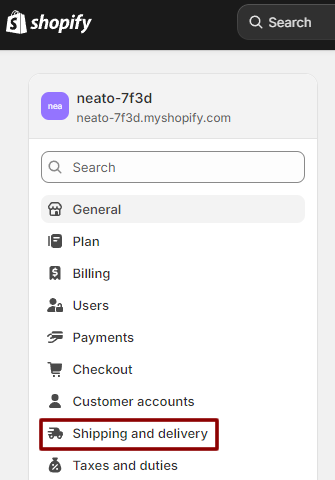
2- Click "Shipping and delivery"

3- Click "General shipping rates"

If you have multiple NeatoPOD app versions, they will show up as multiple Fulfillment locations. The current location - and the one you want - is the latest one (the one with the largest number after the dash).
This error happens if the item is associated with an older Fulfillment location.
How to Fix the Error
In order to fix the error, you need to change the Fulfillment location of that item. Here's how:

1- In Shopify dashboard, click "Products" then tick the checkbox of the item(s). Then click the "Bulk edit" button.

2- Click "Columns" and scroll down to the Inventory section. Tick the "Stocked at" checkbox.
This opens up the Stocked at column. Click on each of the variant and change the location to the most recent Fulfillment location.
3- Click the "Save" button
This will fix the error going forward, but unfortunately that existing order would need to be manually fulfilled.